|
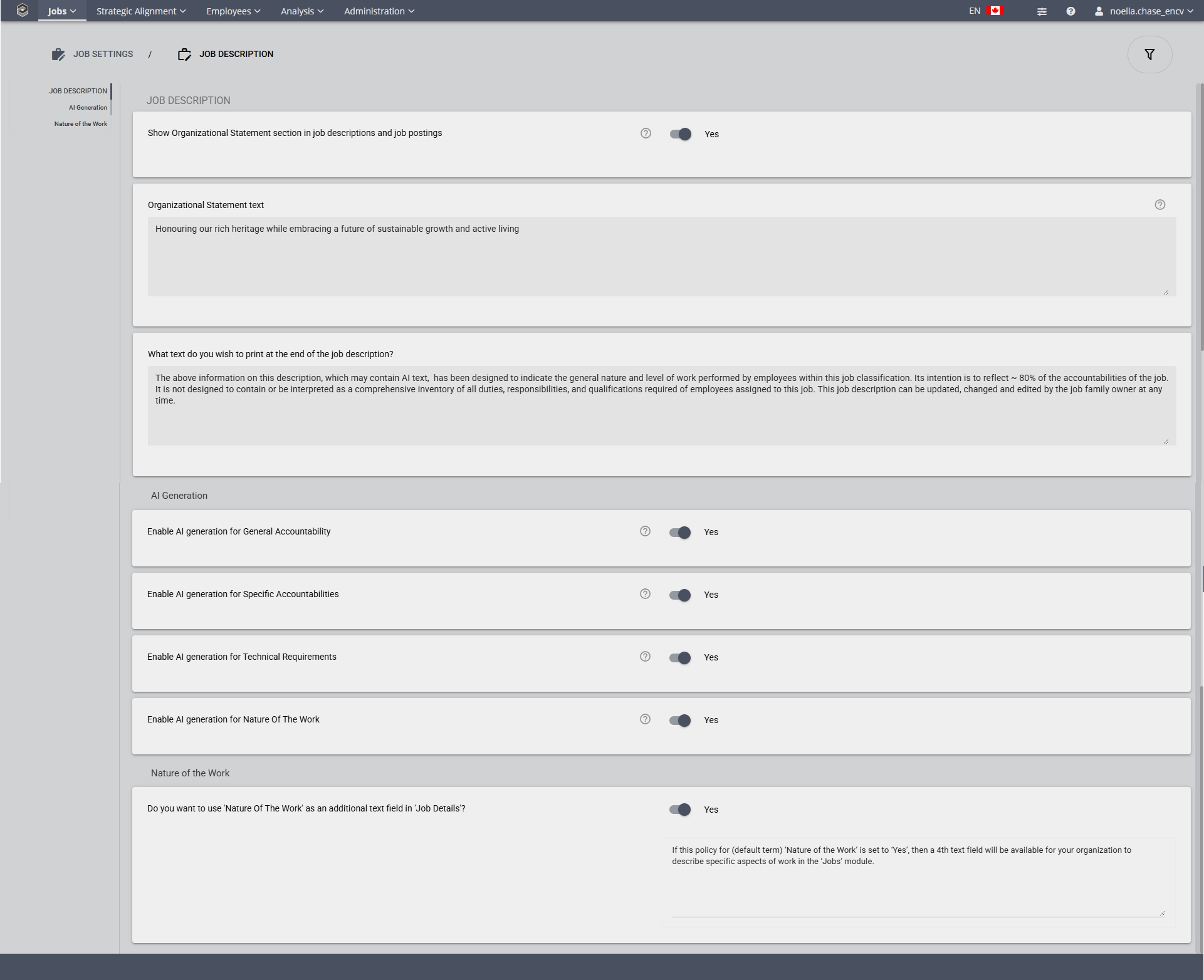
Show Organizational Statement section in job descriptions and job postings
Possible Values:
|
Yes, No
|
Default Value:
|
No
|
Notes: When enabled, the Organizational Statement section will appear in all job descriptions and job postings displaying the organization-wide text defined below. This enables you to specify customized text to print before the Nature of the Work (if enabled), or before the General Accountability statement.
Organizational Statement Text
This where your statement is entered. As noted above will appear in your job descriptions and job postings. You can put the Organization's Mission and Vision Statement, Core Values, etc. here.
Enable AI generation for General Accountabilities
Possible Values:
|
Yes, No
|
Default Value:
|
Yes
|
Note: When enabled, AI can generate General Accountability automatically.
Enable AI generation for Specific Accountabilities
Possible Values:
|
Yes, No
|
Default Value:
|
Yes
|
Note: When enabled, AI can generate Specific Accountability automatically.
Enable AI generation for Technical Requirements
Possible Values:
|
Yes, No
|
Default Value:
|
Yes
|
Note: When enabled, AI can generate Technical Requirement automatically.
Enable AI generation for Nature of the Work
Possible Values:
|
Yes, No
|
Default Value:
|
Yes
|
Note: When enabled, AI can generate Nature of the Work automatically.
What text do you wish to print at the end of the Job Description?
Notes:
This screen allows you to specify customized text to print after the signatures at the end of the Job Description.
•If no text is specified then nothing will be printed.
•Default text: ** Information may be out of date if printed; refer to Encompassing Visions for current details **
Do you want to use 'Nature of the Work' as an additional text field in 'Job Details'?
Possible Values:
|
Yes, No
|
Default Value:
|
No
|
If this policy for (default term) 'Nature of the Work' is set to 'Yes', then a 4th text field will be available for your organization to describe specific aspects of work in the 'Jobs' module.
| 

