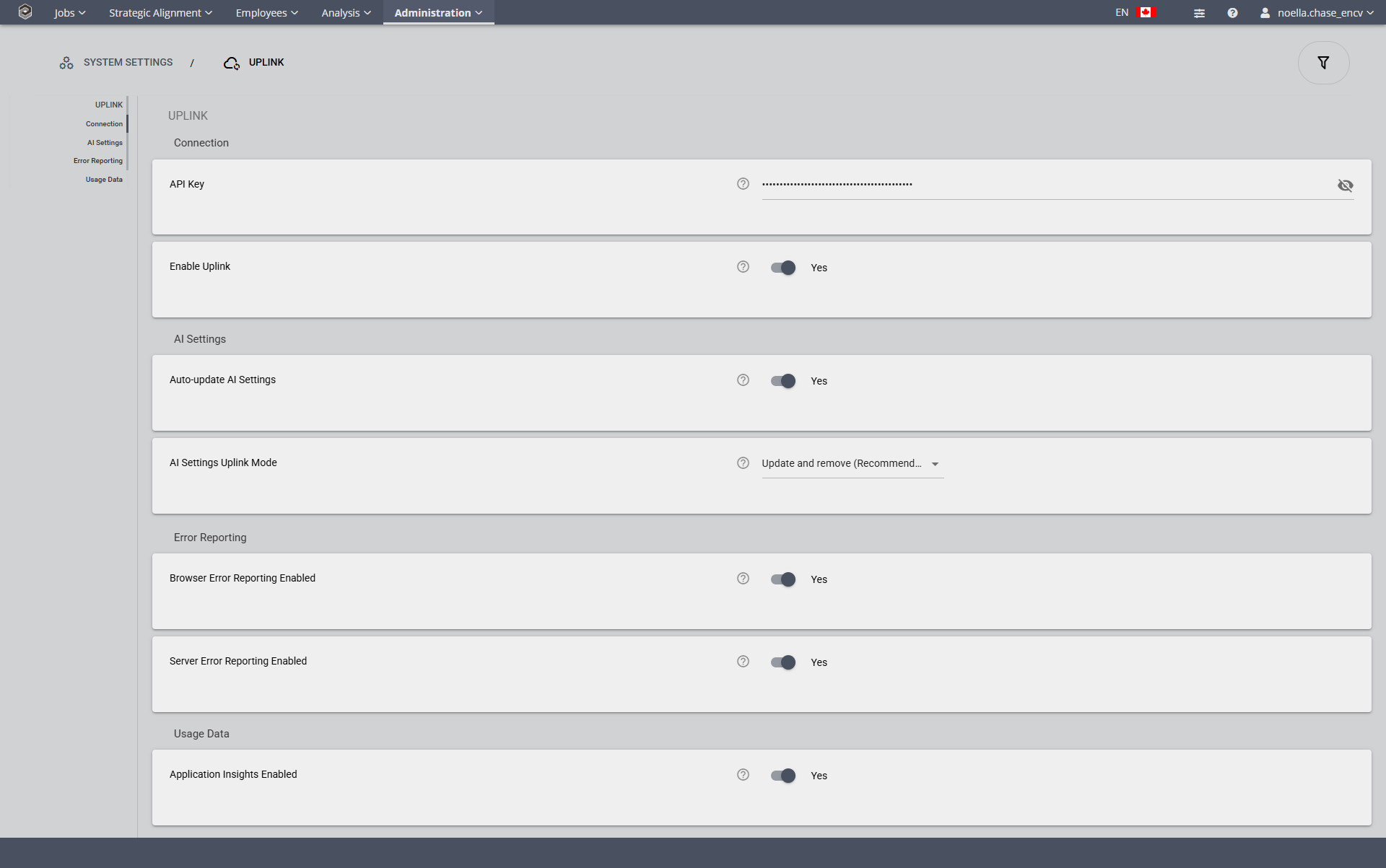
System Settings>Uplink


System Settings>Uplink |
|
These are the system policies that govern the Uplink for AI communication to the server.
|
Possible Values: |
Yes, No |
Default Value: |
No |
Auto-update AI Settings
When enabled, AI provider and model settings are automatically downloaded from the uplink server on a schedule. When disabled, downloads only happen when manually triggered via the toolbar button on the Model Providers or Models page.
Possible Values: |
Yes, No |
Default Value: |
No |
AI Settings Uplink Mode
Controls how AI provider and model settings from the uplink server are applied. 'Disabled' ignores AI configuration entirely and hides the download button. 'Update and disable only' updates existing and adds new providers/models; items no longer provided by the uplink server will be disabled. 'Update and remove' updates existing, ads new, and removes managed providers/models no longer in the uplink data. Providers and models that you create locally are not impacted.
Possible Values: |
Disabled, Update and Disable only, Update and Remove (Recommended) |
Default Value: |
Update and Remove (Recommended) |
These policies govern the feedback that comes back from the software when errors occur.
Browser Error Reporting Enabled?
Possible Values: |
Yes, No |
Default Value: |
Yes |
If on, any errors encountered in the browser will be sent back to Encompassing Visions for more prompt triage and resolution.(Recommended: on)
Server Error Reporting Enabled?
Possible Values: |
Yes, No |
Default Value: |
Yes |
If on, any errors encountered on the server will be sent back to Encompassing Visions for more prompt triage and resolution.(Recommended: on)
Application Insights Enabled?
Possible Values: |
Yes, No |
Default Value: |
Yes |
Determines whether application telemetry is collected. (Recommended: on)